

Feature branches
If feature changes introduce UI changes, tests need to be updated for that particular branch. Test runs from other branches will fail, because they don’t have corresponding UI changes.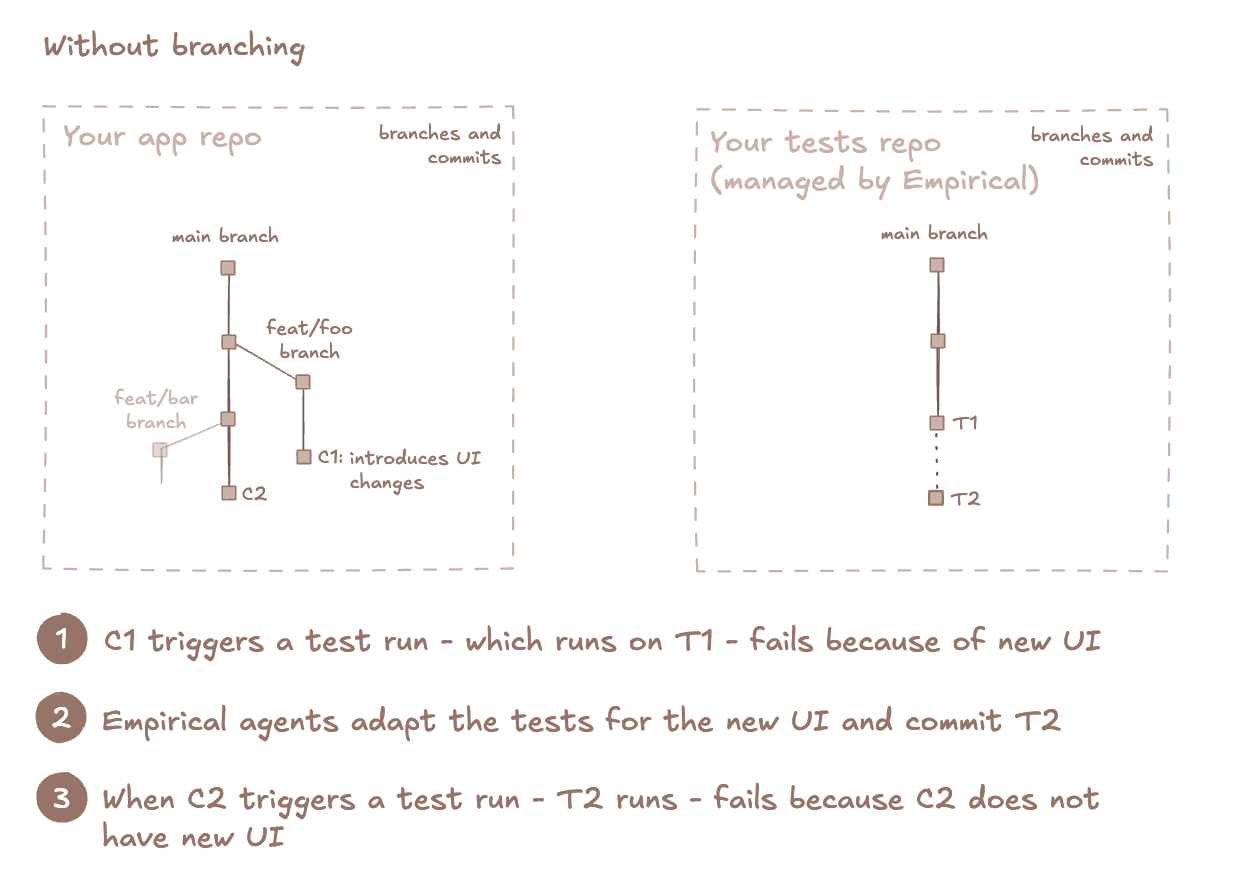
Get started
Feature branches
These are short-lived branches that represent feature branches with preview deployments. These branches are expected to be merged into the default branch.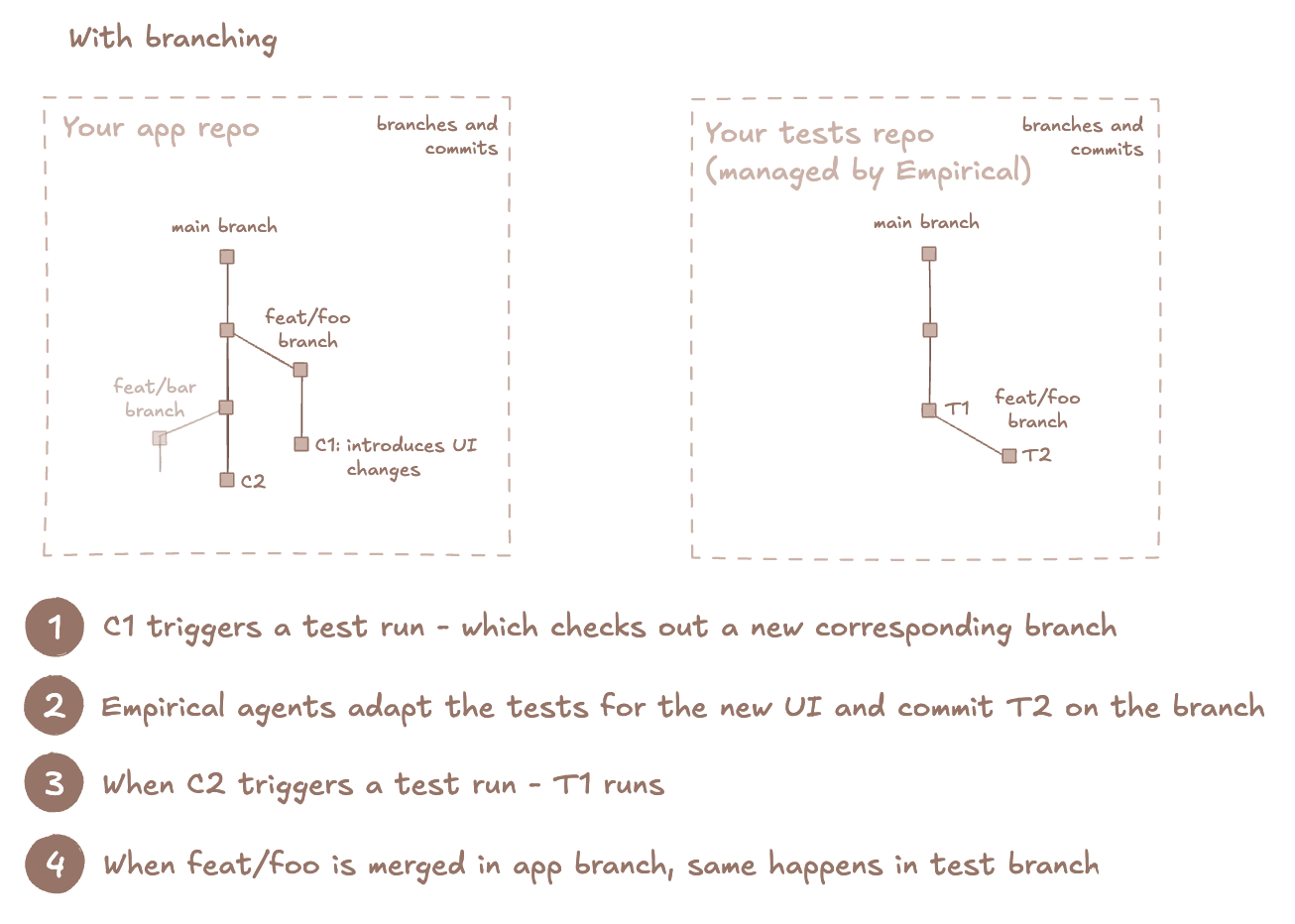
Configure default branch name
For new projects, the default branch ismain. You can change it under Settings → General.
Choose the branch where new test changes should land. For example, if features are merged to a staging
branch in your app, it is a good idea for the Empirical default branch to be called staging.
Select test code for a run
- For a pull request in your application repository, send a
pull_requesttrigger. The run uses the test branch with the same name as the pull request’s head branch, merged into the default branch. If no such test branch exists, the run uses the default branch. See Pull request runs. - To request a particular existing test branch, pass
branchwhen triggering the run. The branch runs as is, without a merge. A missing explicit branch produces an errored run; Empirical does not create it.branchtakes precedence over apull_requesttrigger. - If you send neither, the run uses the project’s default test-repository branch.
- Add the merge branch step to your CI workflows. This informs Empirical when a feature branch is merged.
- Feature branches are automatically deleted after they are merged
Lifecycle of feature branches
Lifecycle of feature branches
A durable feature branch must already exist in the test repository. Test-run triggers never create it.
- Runs that pass
branchuse the test code on that branch. - When the feature is merged in your application repository, the merge branch workflow merges the test branch into the default branch.
Pull request runs
A test run triggered for an application pull request tests the test code as it will look once that pull request merges. Empirical merges the matching test branch into the default branch on a temporarytest-run/merge/* ref and runs the merge commit. It cleans these refs up after the
test branch is merged. If the test branch conflicts with the default branch, the run errors with
a merge conflict. Rebase the test branch, or pass branch to run it without a merge.
The dispatch-action sends the trigger automatically for
pull_request workflow events. With the API, send trigger together with build:
Merge branch workflow
To make branching work, Empirical needs to know when a branch in your repo gets merged and where. Empirical will do a corresponding merge in the test repo. Note that this continues to treat your app as a black-box: we do not need the contents of your repo or app source code. This only captures a branch lifecycle event.GitHub Actions
Add this to.github/workflows/merge-branches.yaml. Which branch to merge and where is automatically
picked up from the pull_request event that triggers this workflow.
v1 reference receives backwards-compatible fixes while keeping breaking
major releases opt-in. You can instead pin an exact release such as v1.0.0.