

Pull request comments
Empirical keeps one comment per pull request and environment, and edits it after every run. It shows the latest run with its results, up to four failed tests, any snoozed tests, and the previous 10 runs on the branch.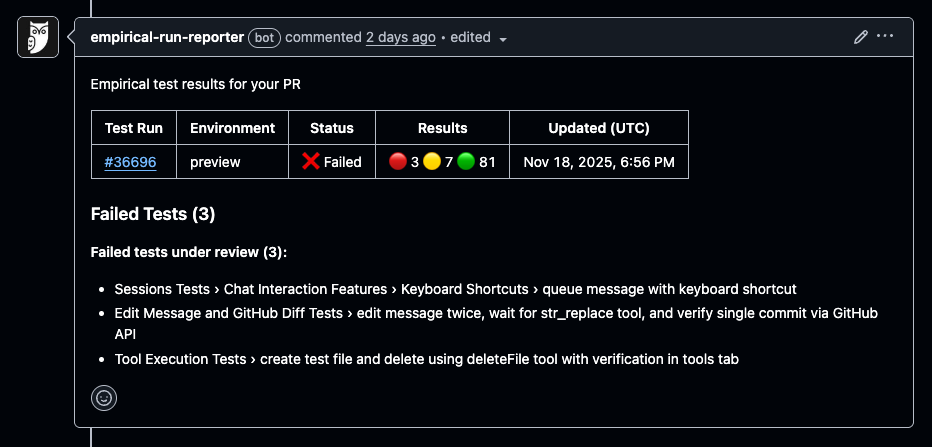
Status checks
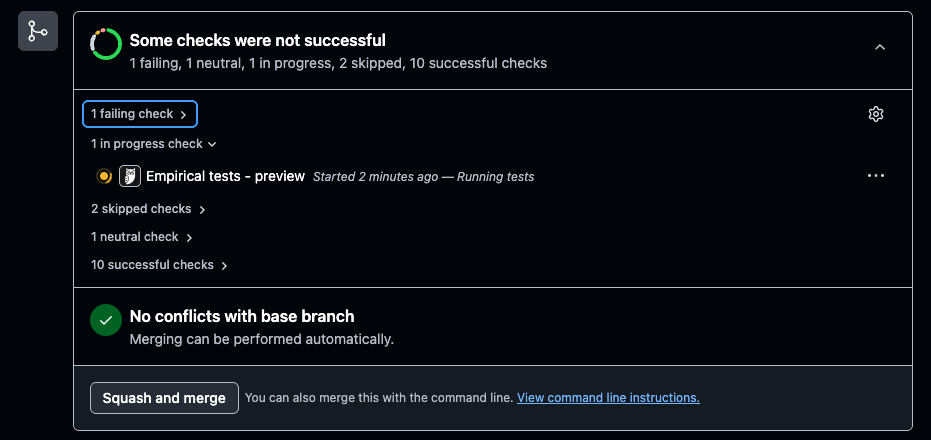
Empirical reports each test run as a check namedEmpirical tests - <environment> on the commit it tested. The check updates while the run is in
progress, and its result ignores snoozed failures, so you can make it a required check.
Linked test changes
For runs triggered by a pull request, Empirical also posts a check namedEmpirical linked test changes that fails until the pull request’s test changes are merged. See
Linked test changes.
Get started
Pre-requisites: The GitHub Reporter requires test runs to be triggered from your CI/CD pipelines. Each test run trigger needs to have commit and branch info, so that it can be used for reporting.- If you are using our GitHub Actions, this is already done and there’s no action required
- If you are using an API call, make sure to send the
buildobject in the request payload
- Navigate to Settings → Reporters (open)
- Click “Install” on the GitHub card
- Choose the repository where you want to see the reports (this will be the repo where test runs are triggered from, either using the GitHub Action or API calls)